 how-to
Stairlift Maintenance Tips for Homeowners: 2026 Guide
Table of Contents
- What You'll Need Before You Start
- Stairlift Maintenance Tips for Homeowners: A Weekly Routine
- Battery Charging and Power Management Basics
- Stairlift Safety Features During Power Outages
- Stairlift Troubleshooting Guide: Common Issues and Fixes
- Professional Stairlift Service Frequency and DIY Boundaries
- Seasonal Maintenance Adjustments and Post-Outage Recovery
- Frequently Asked Questions
Last Updated: September 17, 2026
What You'll Need Before You Start
Stairlift maintenance is the routine care that keeps a stair lift running safely and reliably between professional service visits.
Before you touch anything, gather these items:
- Owner's manual for your specific model
- Lint-free cloths (microfiber works well)
- Mild detergent mixed with warm water
- Soft brush for the track grooves
- Flashlight for inspecting the rail and carriage
- Gloves to protect your hands
Stairlift Maintenance Tips for Homeowners: A Weekly Routine
A weekly stairlift maintenance routine takes about 10 minutes and prevents most callbacks.
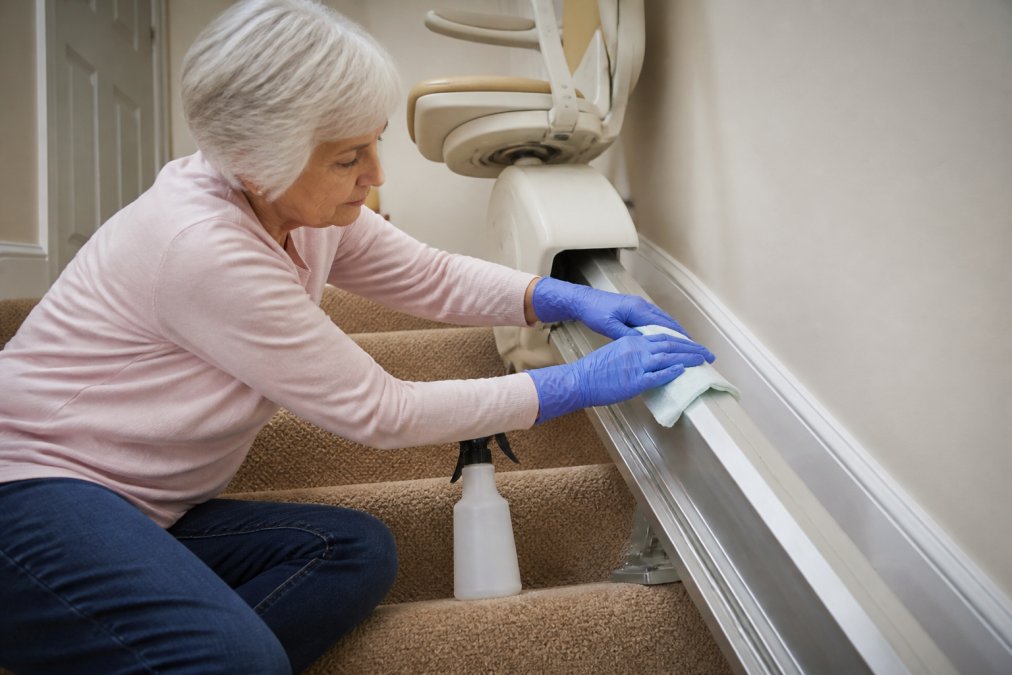
Cleaning the Rail, Track, and Carriage
Wipe the rail and track with a damp lint-free cloth and a drop of mild detergent, then dry completely.
Keeping Stairs Clear of Obstructions
An obstruction on the stairs is the most common cause of a stairlift stopping mid-trip. Walk your staircase weekly and remove shoes, bags, laundry baskets, loose rugs, pet toys, cords, and anything resting on the rail. One forgotten item can trigger the safety sensors and strand the user halfway up.
Battery Charging and Power Management Basics
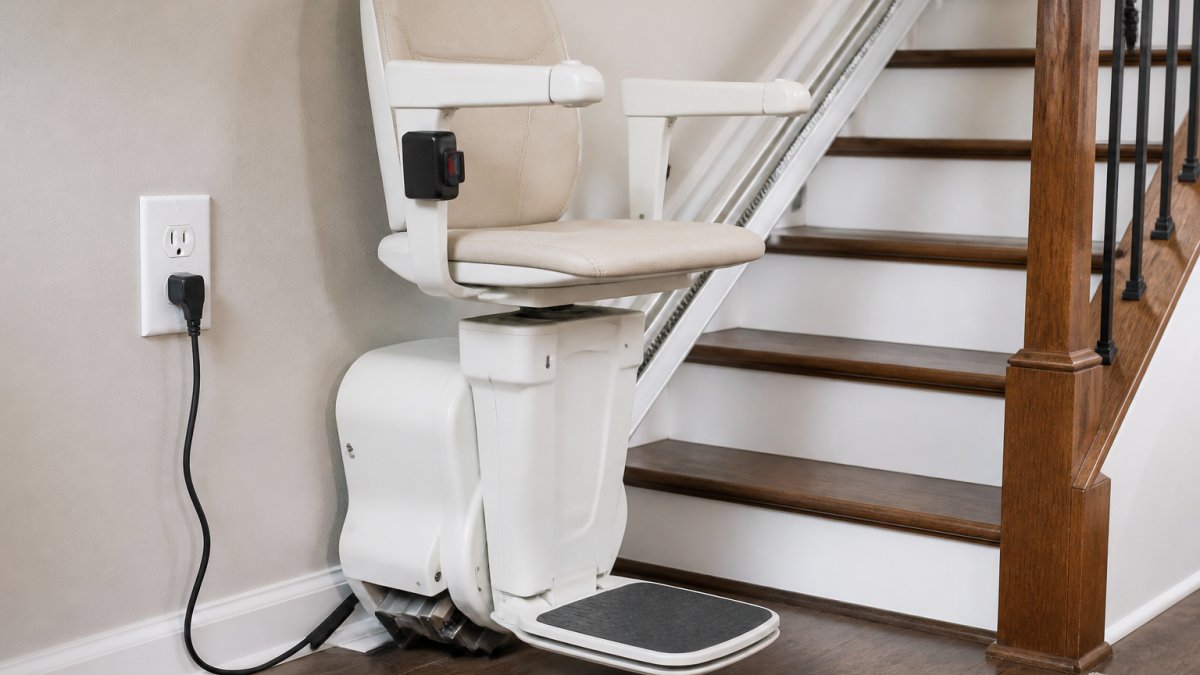
The battery charges automatically whenever the carriage sits at its charging point. Keep it healthy by leaving the carriage parked at the charge point, keeping the power supply plugged into a working outlet, checking that the charge indicator light is on, and never unplugging the unit to "save power".
Stairlift Safety Features During Power Outages
Stairlift safety features during power outages keep the user safe even when the home loses electricity. A charged battery lets the lift complete a trip and return to its charging point. During an outage, the lift runs on battery power for a limited number of trips, while safety sensors, the emergency stop button, and the key switch all keep working.
Stairlift Troubleshooting Guide: Common Issues and Fixes
Most stairlift problems have simple causes. This stairlift troubleshooting guide covers what homeowners can safely check before calling for help, and when to stop and pick up the phone.
Start With the Three-Second Checks
Before assuming the worst, confirm the basics, a surprising share of service calls end with one of these:
- Key switch is turned on (not locked)
- Power supply is plugged into a live outlet, test it with a lamp or phone charger
- Carriage is parked at the charging point, not mid-rail
- Footrest and armrest are fully folded down
- Seat swivel is locked into the riding position
Symptom, Cause, and What to Try
| Problem | Likely Cause | What to Try |
|---|---|---|
| Lift won't move at all | Key switch off, dead outlet, or footrest/armrest up | Check key switch, test outlet, fold footrest and armrest down |
| Stops mid-trip | Obstruction on track or a tripped safety edge | Clear the path, then press the reset button once |
| Jerky or noisy ride | Debris in the gear rack or a dry track | Clean the track with a soft brush; do not add household lubricant |
| Won't charge | Dirty charging contacts or a bad outlet | Wipe contacts with a dry lint-free cloth, test the outlet |
| Beeping or flashing light | Diagnostic code | Write down the code and the beep pattern, then call service |
| Runs only a short distance, then stops | Battery near end of life | Note the behavior and schedule service, do not replace the battery yourself |
| Seat swivels but lift won't move | Swivel lock not engaged | Rotate the seat until it clicks into the riding position |
Reading Diagnostic Codes
Most modern lifts flash a code or beep in a pattern when something is wrong. The meaning varies by brand, so keep your owner's manual handy, the code chart is usually in the troubleshooting appendix. Before you call, write down the number of flashes or beep pattern, what the lift was doing when the code appeared, and whether it clears when you press the reset button.
The DIY vs. Professional Line
This matters for both your safety and your warranty.
Safe for a homeowner:
- Clearing obstructions from the track
- Wiping the rail, carriage, and charging contacts
- Pressing the reset button
- Checking the key switch, outlet, and power supply
- Recording diagnostic codes (Source: guidelines for maintaining home mobility devices)
Stop and call a technician:
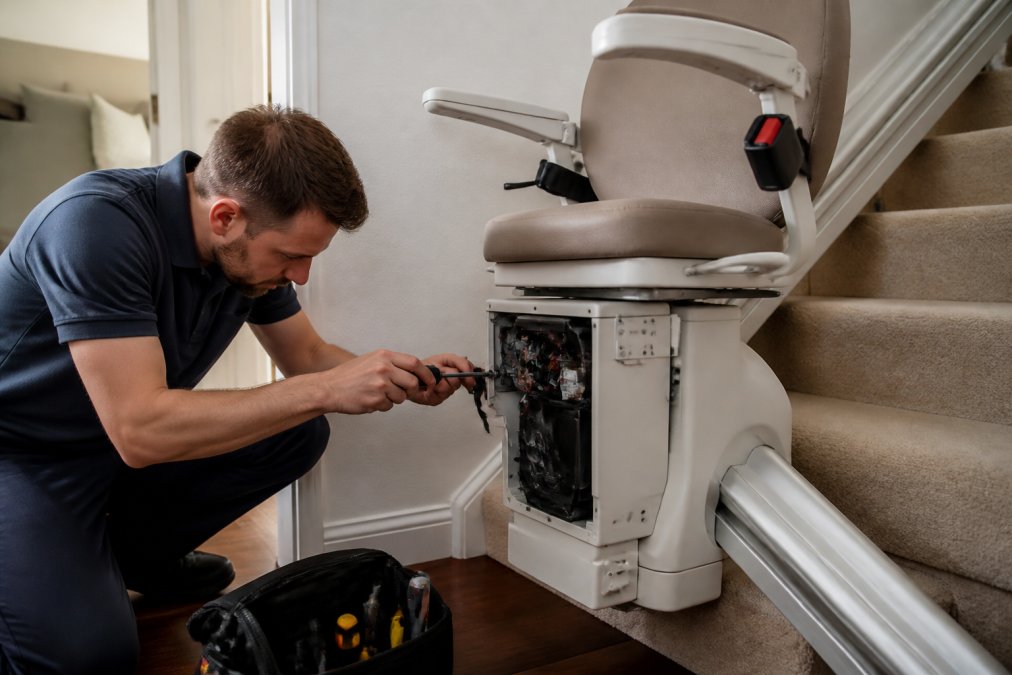
- Opening the motor housing or control box
- Adjusting the gear rack, drive belt, or limit switches
- Touching any wiring or the battery terminals
- Replacing the battery
- Anything that requires loosening a factory-set bolt
A wrong adjustment can affect the weight limit, braking distance, and the safety sensors, all safety-critical, and most warranty terms state that unauthorized repairs or adjustments end the agreement.
When to Call Immediately
Don't wait for a scheduled visit if you notice any of these:
- The lift moves unevenly or drifts after you release the control
- Braking feels soft or the carriage rolls back on an incline
- You smell burning, see scorch marks, or hear grinding from the motor
- A safety sensor fails to stop the carriage when tested with a hand or rolled towel
- The lift stops with someone on the stairs
Professional Stairlift Service Frequency and DIY Boundaries
Professional stairlift service frequency is typically once a year, though heavy-use units may need it twice. An annual inspection checks the motor, gear rack, safety sensors, brakes, and battery.
Seasonal Maintenance Adjustments and Post-Outage Recovery
Two situations deserve their own playbook: seasonal swings that change how the lift behaves, and the hours after a power outage. Both are where small habits prevent big repair bills.
How Seasons Change Your Stairlift
A stairlift lives in a climate that shifts with the weather, even indoors.
Spring and summer (humidity and pollen)
- Humid air makes dust and pollen cling to the rail and gear rack. Wipe the track every few days in peak pollen season with a damp lint-free cloth, then dry it fully.
- High humidity can shorten the interval between charges on older batteries. If the charge indicator takes longer to reach full, note it for your next service visit.
- Air conditioning can make plastic shrouds creak. That's usually harmless, but a new squeal from the motor is not.
Fall and winter (dry air and cold drafts)
- Heated indoor air is dry, so expect more debris in the track grooves, not less.
- Cold drafts near an exterior wall or stairwell can stiffen grease in the gear rack and make the ride louder. If the lift runs rougher on cold mornings and smooths out later, mention it at your annual service.
- Never store the carriage in an unheated garage or porch. Batteries lose capacity in the cold and may not complete a full trip during an outage.
Year-round
- Keep the charging point clean and the outlet clear of furniture.
- Leave the carriage parked at the charge point whenever it's not in use, the single habit that most extends battery life.
Cleaning Products: What's Safe, What Isn't
The rail and carriage have different surfaces, and the wrong product can dull the finish, crack plastic, or interfere with the safety sensors.
Avoid entirely:
- Ammonia-based glass cleaners, they strip the rail's finish
- Abrasive powders or scouring pads, they scratch the track and trap grit
- Furniture polish, its residue attracts dust and can coat the safety sensors
- Bleach or disinfectant sprays near the carriage, they corrode contacts and damage wiring
- WD-40, silicone spray, or household oil on the track, the wrong lubricant damages the gear rack and can void the warranty
After a Power Outage: A Step-by-Step Recovery
A charged battery lets the lift complete a limited number of trips during an outage. Once power returns, follow these steps in order.
- Park the carriage at the charging point. If it stopped mid-rail, use the manual controls (or lowering crank, if your model has one). Don't force it.
- Confirm the power supply is plugged in and the outlet is live.
- Check the charge indicator. If it doesn't light within a few seconds, wipe the charging contacts with a dry lint-free cloth and check again.
- Let the battery recharge fully before heavy use, a full recharge can take several hours.
- Run one full trip up and down with no passenger. Listen for grinding, squealing, or uneven motion.
- Test the safety sensors. With the carriage moving slowly, pass a hand or rolled towel in front of the leading edge. If the lift doesn't stop, stop using it and call for service.
- Press the reset button if the lift still won't respond after charging. If a diagnostic code appears, write it down before calling.
Frequently Asked Questions
Can homeowners perform their own stairlift maintenance?
Yes, homeowners can safely handle basic tasks like wiping the rail with a lint-free cloth and mild detergent, keeping the stairs clear, and checking that the battery charging point is working. However, any work involving the motor, gear rack, wiring, or safety sensors should be left to a qualified technician. Attempting repairs on those components can void your warranty and create a safety risk, so stick to cleaning and visual checks between professional visits.
How often should a stairlift be serviced by a professional?
Most manufacturers recommend an annual inspection by a qualified technician, and many warranties require it to stay valid. If your stairlift gets heavy daily use or you notice unusual noises, jerky movement, or diagnostic codes, schedule service sooner. An annual visit typically covers lubrication of the gear rack, battery health, safety sensor testing, and a check of the motor and key switch. Ask your provider what your specific warranty requires.
What should I do if my stairlift stops during a power outage?
Most stairlifts run on battery power and will continue working for a limited number of trips during an outage. If yours stops, check the key switch is on and press the reset button. Use the manual hand crank or emergency stop release only as directed in your owner's manual. Never try to climb over or force the carriage. Once power returns, let the unit charge fully and confirm the charging point light is on before normal use.
What are the most common signs that a stairlift needs repair?
Watch for jerky or slow movement, grinding noises, a carriage that stops mid-travel, diagnostic codes on the display, or a battery that no longer holds a charge. A swivel seat that does not lock, safety sensors that fail to stop the carriage, or a joystick that feels unresponsive also signal a problem. If you see any of these, stop using the stairlift and call a technician rather than continuing to ride it.